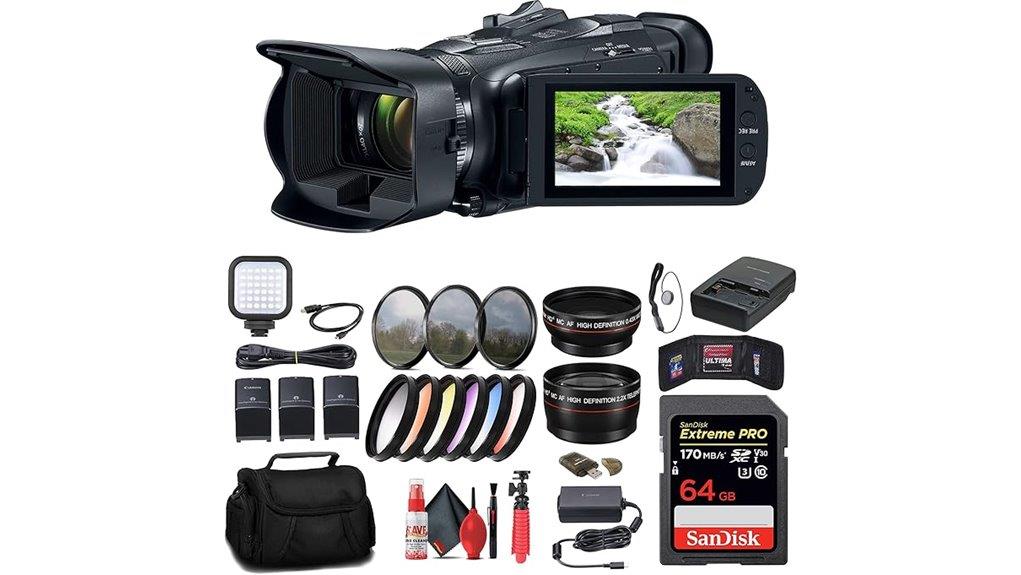
You’ll find the Canon Vixia HF G70 is a compact, handheld 4K camcorder that balances portability with professional controls. It records UHD 4K/30p with accurate colors, clean midrange detail and a 20× zoom, while five‑axis stabilization and an ergonomic grip aid long takes. Low‑light noise and limited dynamic range reflect the small sensor, but XLR audio options and dual SD slots support pro workflows. Keep going and you’ll get specs, handling notes and practical comparisons.
Some Key Takeaways
- Compact 1/2.3″ UHD 4K CMOS with DIGIC DV 6 delivers good color and detail at 4K/30p, but limited low‑light performance.
- 20× optical zoom (29.3–627mm equiv.) and smooth zoom rocker enable versatile framing for run‑and‑gun shooting.
- Five‑axis stabilization and ergonomic grip provide stable handheld footage, though long‑reach shots need careful support.
- Responsive autofocus plus manual focus peaking in the tiltable OLED EVF/touchscreen supports fast and precise focusing.
- MP4 recording to dual SD cards (simultaneous/backup), USB‑C UVC livestreaming, and swappable BP828 battery aid professional workflows.
Canon Vixia HF G70 at a Glance : Top Specs and What Makes It Different
Cutting through the entry‑level camcorder crowd, the Canon Vixia HF G70 packs a 1/2.3″ UHD 4K CMOS sensor, DIGIC DV 6 processing, and a 20× optical zoom into a compact, feature‑rich body designed for hybrid shooters and prosumers. You get MP4 4K/30p recording, five‑axis stabilization, advanced AF, dual SD slots, and a tiltable OLED EVF. The build balances portability with pro controls—manual rings, physical dials, and full exposure modes. Expect reliable battery life with swappable BP828 cells in bundles. Accessory compatibility is broad: 58mm front filters, HDMI/USB‑C outputs, and common shoe‑mount gear supported. It’s an excellent option for mirrorless camera enthusiasts looking to expand their kit with essential gear.
Image Quality and Audio Performance : 4K, Low Light, Stabilization, and Sound
When you push the Vixia HF G70 into 4K recording, its 1/2.3″ UHD CMOS sensor and DIGIC DV 6 engine deliver detailed 3840×2160 footage with accurate color rendering and controlled noise up to about ISO-equivalent levels typical for this sensor class; expect strong results in well-lit scenes but noticeable noise and reduced dynamic range in dim environments. You’ll see clean midrange detail and crisp highlights in daylight; low light performance is limited by sensor size, so shadow noise and softer fine detail appear. Five-axis stabilization effectiveness minimizes handshake at telephoto; on-board microphones with wind reduction handle ambient noise, while XLR options improve critical capture. For shooting product or studio setups, consider using LED panels to get consistent, controllable lighting for best image results.
Lens, Zoom, Autofocus, and Handling : Real‑World Usability and Ergonomics
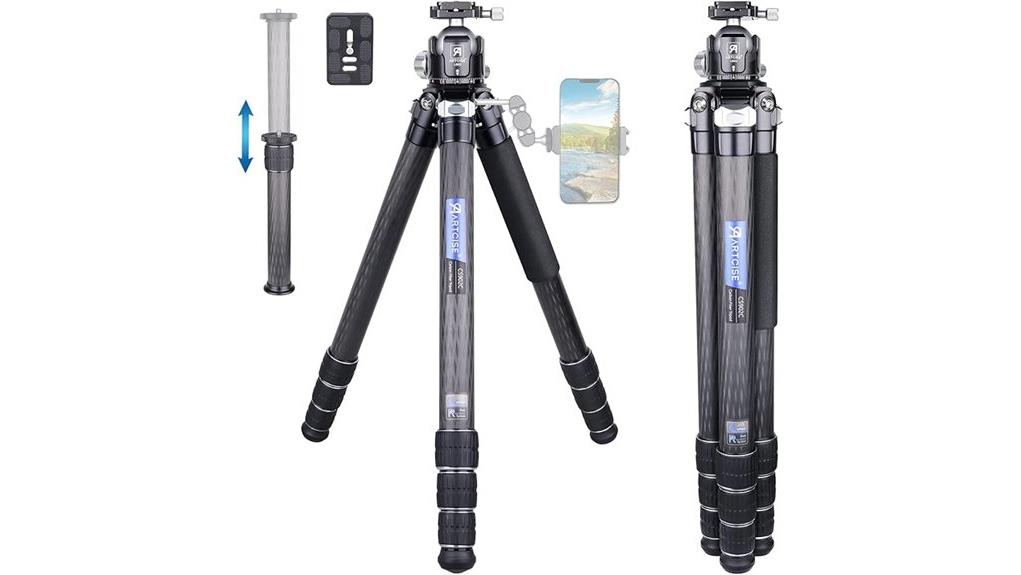
Although the HF G70’s 20× optical zoom and 29.3–627 mm equivalent range give you broad framing options from wide landscapes to tight telephoto, the small 1/2.3″ sensor and fixed optical design mean long‑reach shots demand careful stabilization and exposure management. You’ll appreciate the ergonomic comfort grip for handheld runs, reducing fatigue during extended shoots. The zoom rocker is smooth and precise for controlled ramping, while advanced autofocus is responsive in most scenes. When you need exact control, switch to manual override with clear focus peaking guidance on the touchscreen or EVF to confirm critical sharpness. For travel photographers who prioritize portability, pairing the camcorder with a lightweight tripod can greatly improve stability and usability on long shoots.
Recording Features, Connectivity, and Workflow : Codecs, Dual SD, Livestreaming, and Accessories
Shifting from handling and zoom control to how footage is captured and moved, the HF G70 gives you a straightforward but capable recording and connectivity toolkit. You record only MP4 at up to UHD 4K/30p with AAC or PCM audio; choices are limited but efficient for editing. Dual SD slots let you simultaneous-record or backup files, simplifying metadata workflows and on-set redundancy. USB‑C UVC supports clean livestreaming to a computer; HDMI outputs for monitoring. You can use wireless control for basic remote operation. Included accessories and battery options support extended shoots and streamlined file transfer. Consider adding essential HDMI accessories to optimize monitoring and capture workflows.
Who Should Buy the HF G70 : Use Cases, Alternatives, and Final Verdict
If you need a compact, production‑ready 4K camcorder that prioritizes reliability and ergonomic handling, the Canon Vixia HF G70 is a strong fit; it delivers UHD 4K/30p capture, robust five‑axis stabilization, long 20× optical reach, and dual SD redundancy in a single, purpose‑built package. You’ll want this for event videography, ENG, and solo documentary shoots where uptime, autofocus and handheld stability matter. Budget filmmakers gain pro features without mirrorless complexity. Alternatives: mirrorless bodies with external recorders for greater sensor control, or older prosumer Canon/Sony camcorders for lower cost. Verdict: pragmatic, dependable, and optimized for run‑and‑gun professionals. Consider pairing the G70 with an external monitor to improve focus accuracy and framing when shooting handheld external camera monitors.
Some Questions Answered
How Long Does Battery Life Last With Included BP828 Replacements per Charge?
You’ll get roughly 3.5–5 hours of battery endurance per BP828 replacement under typical mixed use; heavy 4K recording and EVF use push runtime toward the lower end. Charge cycles depend on battery care — expect 300–500 useful cycles before noticeable capacity loss. You should calibrate, avoid deep discharges, and store at moderate charge to maximize lifespan. Replace batteries after capacity drops below useful runtime for your workflow.
Can the Camcorder Be Powered Continuously While Recording From a USB Power Bank?
Yes — you can power the camcorder continuously while recording using USB power, but watch battery passthrough and USB C limitations. The Vixia accepts PD‑E1 USB power for operation and UVC streaming, yet many power banks don’t support true passthrough or sufficient PD current. Use a PD‑capable USB‑C power bank or wall adapter rated for camera draw; otherwise the camcorder may drain batteries despite being plugged in.
Does It Support External Microphones via 3.5mm or XLR Without Adapters?
No — you won’t get native XLR compatibility or dual 3.5mm inputs. The camcorder has a single 3.5mm external mic jack for direct external mic use, but it lacks built‑in XLR ports. For XLR compatibility you’ll need an adapter or external XLR-to-3.5mm preamp/interface. Use a balanced XLR-to-TRS converter or mic mixer with line output to preserve quality; monitor levels and phantom power externally since the camera won’t supply XLR phantom.
Are Firmware Updates User‑Installable and How Are They Applied?
Yes — you can install firmware updates yourself. You’ll follow Canon’s firmware procedure: download the firmware file from Canon’s support site, verify the file checksum for update verification, copy it to a properly formatted SD card, insert it into the camcorder, then run the firmware update from the menu. Don’t power off, remove battery, or interrupt USB during the process. After completion, confirm the new version in the system info menu.
What Carrying Case Dimensions Fit the Bundled Soft Bag and Accessories?
You’ll need a carrying case roughly 16″ × 10″ × 8″ to fit the bundled soft pouch plus accessory pockets comfortably. Choose an internal layout with a padded camera compartment for the camcorder, a soft pouch pocket for lenses/filters, and dedicated accessory pockets for batteries, charger, cables, LED light, card reader, and small tripod. Provide 20–30mm extra depth for padded inserts and cable routing. Durable exterior and reinforced base are recommended.