You’ll find the Sony ZV-E10 is a compact, affordable mirrorless that’s ideal if you’re a solo creator or vlogger who wants great 4K/30p video, sharp 24MP stills, and fast Real‑Time AF that locks on faces and eyes. It gives useful onboard directional audio, mic/headphone ports, and easy run‑and‑gun handling, though it lacks IBIS and a second card slot. If you want more on performance, accessories, and tradeoffs, keep going for full details.
Some Key Takeaways
- Compact, affordable APS‑C mirrorless ideal for vloggers and solo creators with excellent autofocus and 24.2MP image quality.
- Records UHD 4K/30p and 1080p/120 with 8‑bit color; suitable for web delivery but limited for heavy grading.
- Built‑in directional 3‑capsule mic, windscreen, mic/headphone jacks enable strong onboard audio and monitoring.
- OSS kit lens and hinted hybrid stabilization help run‑and‑gun shooting, but no in‑body image stabilization and single SD slot.
- Great value with useful bundle accessories, though consider IBIS alternatives (Fujifilm X‑S10) or color preferences (Canon M50 II).
Quick Verdict : Is the Sony ZV-E10 Worth Buying?
While it depends on your needs, the ZV-E10 is a strong buy for content creators and solo videographers who want a compact, versatile camera without breaking the bank. You’ll get excellent image quality, useful onboard audio, and fast AF that simplifies single-operator workflows. The kit’s portability and creator-focused modes deliver clear value proposition for vloggers and social-first shooters. Consider limits: single card slot and modest in-body stabilization matter if you need redundancy or heavy handheld shooting. Check warranty and Sony’s ecosystem for long term support, firmware updates, and lens availability to guarantee it fits your evolving workflow. It also benefits from a wide selection of mirrorless camera accessories tailored to content creators.
What’s in the Box and Key Specs That Matter for Creators
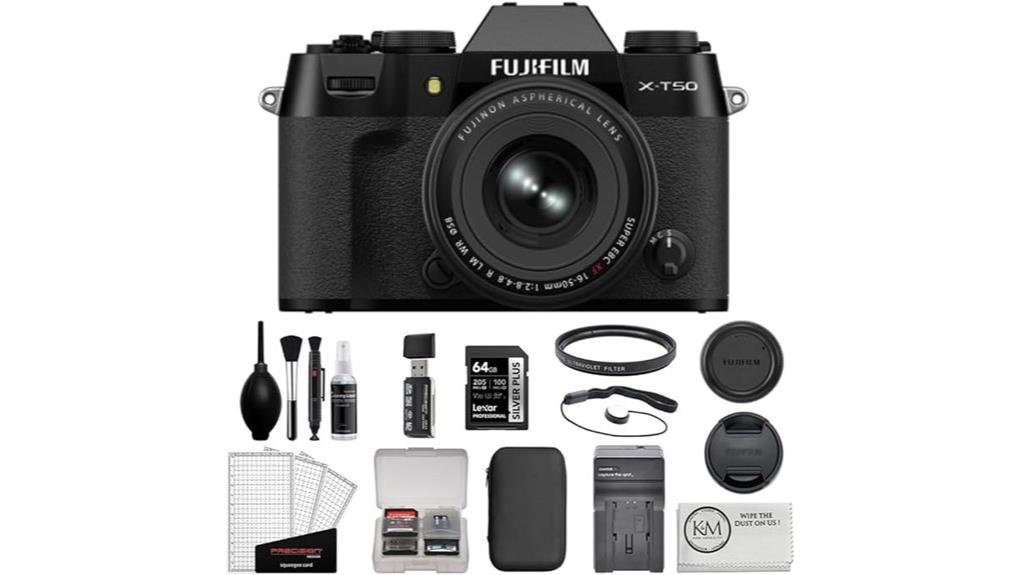
Because creators need gear that works out of the box, the ZV-E10 bundle gives you a ready-to-go kit: the white ZV-E10 body with the compact E PZ 16-50mm f/3.5–5.6 OSS lens, two NP‑FW50 batteries and external charger, a 64GB SanDisk Extreme PRO card, a 3-piece 40.5mm filter set, LED light, 12″ flexible tripod, directional windscreen-equipped microphone plus mic/headphone ports, and software and accessories like a soft bag, card reader and cleaning kit—everything that matters for solo shooting and quick setup. You get a 24.2MP APS-C sensor, 4K30/1080p120, 425-point AF, OSS lens stabilization, side-flip touchscreen, Sony E-mount for accessory compatibility, single SD slot, and clear battery tips: carry spares, rotate charge cycles, and use OEM or high-quality replacements to avoid interruptions. Consider pairing the kit with a purpose-built camera bag to protect gear and organize accessories for on-the-go shoots, like a camera bag designed for photographers.
Image and Video Performance in Real-World Use
You’ve got everything you need to start shooting—now let’s see how the ZV-E10 actually performs when you press record or snap a frame. You’ll appreciate sharp 24MP stills with clean detail at base ISO and a usable dynamic range for straightforward exposure pulls. Video hits UHD 4K/30p with solid color depth for web delivery; 8-bit limits heavy grading but handles basic LUTs well. Low light performance is respectable up to mid ISO with noise control, though the kit lens’ aperture constrains shallow depth options. For run-and-gun creators it’s dependable, delivering quality footage without complex setup. Consider adding RGB lighting to enhance creative lighting options for both stills and video.
Autofocus, Stabilization, and Audio for Single-Person Production
When you’re shooting solo, the ZV-E10’s autofocus, stabilization, and onboard audio work together to keep footage usable with minimal fuss: its 425-point Fast Hybrid AF with Real-Time Eye AF and tracking locks reliably on faces and moving subjects, the kit lens’ Optical SteadyShot (OSS) and hinted hybrid stabilization reduce handshake for run‑and‑gun clips, and the built‑in directional 3‑capsule mic captures clear dialogue with a windscreen for outdoor use while providing mic and headphone jacks for pro audio monitoring or upgrades. You’ll get dependable real time tracking, low-latency AF-C performance, useful OSS for vlogging, and practical wind noise reduction. For better framing and critical focus when vlogging solo, consider adding an external camera monitor for improved visibility and composition, especially in bright outdoor conditions with external camera monitors.
Who Should Buy the ZV-E10 : Ideal Users and Recommended Alternatives
If you’re a solo creator looking to level up your vlogs, product videos, or social-media content without a lot of extra gear, the ZV‑E10 is built for you: it combines reliable Real‑Time Eye AF and subject tracking, a compact E‑mount body that accepts interchangeable lenses, usable OSS from the kit lens, and a directional onboard mic with input/output options—so you’ll get polished results straight out of the camera while keeping setup and budget manageable. You should buy it if you’re vlogger beginners, solo entrepreneurs, or hybrid shooters who value portability, easy audio, and fast autofocus. Consider the Fujifilm X‑S10 or Canon M50 II if you want in‑body stabilization or different color science. If you often shoot handheld or want perfectly level horizons, consider adding a hot shoe bubble level to your setup for quick on-camera leveling camera leveling.
Some Questions Answered
Does the ZV-E10 Have a Built-In Flash?
No, the ZV‑E10 doesn’t have a built in flash; it lacks a pop up mechanism. You’d rely on the kit lens’ OSS and ambient light or attach an external flash via the camera’s hot shoe or use continuous LED lighting included in some bundles. That external option gives more control and power than a tiny pop‑up would. For vlogging, the onboard directional mic and included LED often cover typical low‑light needs without a built‑in flash.
Can I Use Third-Party Batteries and Chargers Safely?
Yes — you can use third-party batteries and chargers, but you should be cautious. Third-party cells often work fine and save money, yet battery safety varies; choose reputable brands with protection circuits and good reviews. Be aware using non-original accessories can void or affect your warranty impact if damage occurs. Inspect for overheating, swollen packs, and charge in a safe area. When unsure, stick with Sony or certified replacements.
Is the Camera Weather-Sealed for Outdoor Shooting?
No, the camera isn’t fully weather-sealed. You shouldn’t rely on full weather resistance for heavy rain or dusty environments. The body lacks thorough gasket protection around major seams and ports, so you’ll need extra care. Use rain covers, protective housings, or sealed lenses for outdoor shoots in wet or harsh conditions. For light use in mild weather you’ll be fine, but avoid prolonged exposure without added protection.
Does It Support External Recording via HDMI Clean Output?
Yes — you can use external recording via HDMI with a clean output. You’ll get an unrestricted 4K/Full HD signal suitable for external recorders, so you can capture higher-quality files or use longer recording times. You’ll want a micro HDMI cable and a compatible recorder, and be aware of overlays and settings that might affect the feed. Test your setup to confirm resolution, frame rate, and clean output behavior before critical shoots.
Can I Tether the ZV-E10 to a Smartphone for Remote Control?
Yes — you can tether the ZV-E10 to a smartphone for remote control. You’ll use Sony’s app for remote shooting and app control over Wi‑Fi/USB, letting you change settings, trigger recording, and preview live view. Performance is responsive for framing and basic controls, though advanced functions may be limited compared with tethered desktop software. Make sure your firmware and app are updated, and connect via the recommended Wi‑Fi or USB workflow for best reliability.