You’ll get a compact, easy-to-use vlog setup with the ZV‑E10 bundle that beats most phones on autofocus, 4K oversampled video, and built‑in directional audio without the bulk of a mirrorless kit. It’s ideal if you want portability, a flip‑out screen, and reliable subject tracking, though it lacks IBIS and a viewfinder and long 4K runs need external power. The included lens, mic accessories, and case make it a smart value, and the full review covers hands‑on tests and workflows.
Some Key Takeaways
- Compact APS-C ZV-E10 bundle delivers 4K oversampled video, strong autofocus, and flip-out screen ideal for vloggers and creators.
- Built-in directional 3-capsule mic plus 3.5mm jack and MI shoe provide good onboard audio and easy external mic upgrades.
- Kit includes 16–50mm lens, NP-FW50 battery, Lexar 64GB card, and useful accessories for out-of-the-box vlogging.
- Combination of kit-lens OSS and active mode stabilization reduces walking jitter but won’t match a dedicated gimbal.
- Limitations: no in-body stabilization or viewfinder, limited prolonged 4K recording, and recommend spare batteries and fast UHS-I card.
Who This Sony ZV‑E10 Bundle Is Best For and Why
Because it balances compact size, strong autofocus, and 4K oversampled video, this ZV‑E10 bundle is ideal for vloggers and content creators who want pro-looking footage without bulky gear. You’ll find it especially suited to a beginners vlogger who needs easy-to-use autofocus, flip-out screen, and built-in directional mic for immediate results. Compared to bulky mirrorless setups, the kit lens and compact accessories make it a top choice for the travel creator who values portability and reliable stabilization. It’s also a solid step-up for smartphone shooters wanting better image control, and for streamers needing simple USB capture. The kit pairs well with essential mirrorless accessories like lenses and grips to expand shooting flexibility.
Quick Verdict: Image, Video, Audio, and Value at a Glance
If you’re moving from smartphone or an entry‑level mirrorless kit, the ZV‑E10 delivers a noticeable step up in image quality, autofocus reliability, and video features without adding bulk. You’ll get crisp 24MP stills and oversampled 4K that respond well to modest lighting setup and restrained color grading. Autofocus is fast and dependable for run‑and‑gun vlogs; audio is clear out of the built‑in mic and improves with external mics via the jack or MI shoe. Battery management matters for long shoots, so swap spares. For value, the bundled lens, card, and accessories increase accessory compatibility and overall return. Keep an extra dual battery charger on hand to ensure uninterrupted shooting during long sessions.
In‑Depth Photo and Video Performance: Sensor, AF, 4K, and Slow Motion
When you push the ZV‑E10 hard, its 24.2MP APS‑C sensor and BIONZ X engine deliver noticeably cleaner, more detailed stills and oversampled 4K than most smartphone shooters and many entry‑level mirrorless models. You’ll appreciate expanded dynamic range in highlights and midtones, retaining texture in contrasty scenes. Autofocus latency is low; Real‑time Eye AF and 425‑point tracking lock reliably for portraits and moving subjects, outperforming kit competitors. 4K oversampling from full‑pixel readout yields crisp footage with minimal moiré. Slow‑motion capture in S&Q and 1080p modes is usable for creative work, though not pro‑grade compared with high‑end bodies. External monitors can improve framing and exposure accuracy when shooting video with the ZV‑E10, especially for vloggers and hybrid shooters external camera monitors.
Audio, Stabilization, and Vlogging Ergonomics You’ll Actually Use
Although it’s compact, the ZV‑E10 prioritizes practical vlogging tools you’ll use every day: its directional 3‑capsule mic with windscreen and 3.5mm jack gives noticeably clearer front-facing audio than most kit cameras, and the MI shoe lets you add higher-end mics without adapters. You’ll run a quick mic check on location and trust the built‑in windscreen for breezy shoots. Stabilization combines kit-lens OSS and camera active mode to reduce walking jitter, though it won’t match gimbals. The flip-out screen, lightweight grip and dedicated REC button improve handheld comfort and fast workflows for solo creators. For creators focused on audio, choosing the right external microphone and accessories can make a big difference for on-camera sound, especially when pairing with the camera’s directional 3‑capsule mic.
What’s in the Full Bundle and Why Each Item Matters
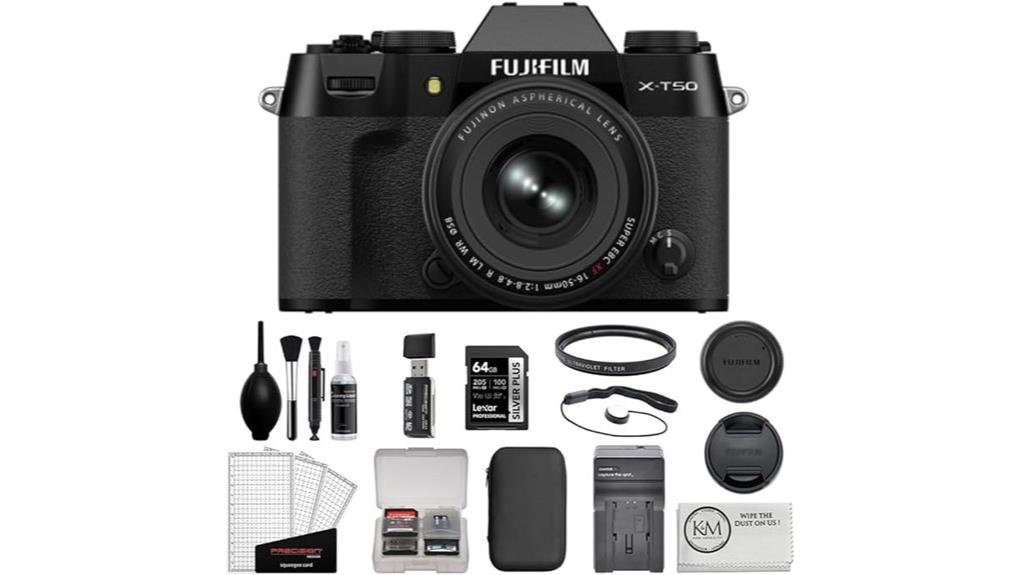
Because this bundle pairs the ZV‑E10 body with a well-chosen set of accessories, you get a ready-to-shoot vlogging kit that removes most common setup headaches and upgrades real-world performance over a bare kit. The 16–50mm lens and NP‑FW50 battery cover essentials; Lexar 64GB card guarantees sustained recording. Deco Gear case boosts case organization and travel portability while the compact tripod/grip and mic wind screen improve handheld stability and audio. The accessory kit and rubberized tripod add accessory durability. Overall kit compatibility with Sony E-mount and UHS‑I cards means fewer adapter headaches and faster deployment. Serious photographers appreciate large-capacity, reliable cards for uninterrupted shoots, especially when choosing large capacity memory options.
Real‑World Shooting Tests and Workflow (Settings, Tethering, Streaming)
If you want reliable results fast, the ZV‑E10 delivers predictable image quality and autofocus across common vlogging scenarios, but knowing the right settings and workflow makes the difference between a messy shoot and smooth production. You’ll favor 4K oversampled footage at an ideal bitrate for clean frames; drop to 1080p for longer recordings. Expose conservatively when using S-Log3 and plan color grading to retain highlights. Wireless tethering works for quick framing and transfers, though USB streaming is more stable for live shows. For multi camera setups, sync timecode and white balance, then monitor bitrate and audio consistency. Consider adding field monitor to your kit to ensure accurate framing and exposure on location.
Buy or Skip? Practical Pros, Cons, and Final Purchase Checklist
Cut through the specs: the ZV‑E10 gives you a highly capable, affordable vlogging kit that beats most entry‑level compacts on autofocus, 4K quality, and mic/audio features, but it’s not the best choice if you need in‑body stabilization, a built‑in viewfinder, or prolonged 4K recording without external power.
Buy if you value fast AF, clear audio, excellent lens sharpness from the kit optic, and easy streaming. Skip if you need in‑body stabilization, longer battery lifespan, or a viewfinder. Final checklist: confirm spare NP‑FW50 batteries, fast UHS‑I card, lightweight tripod, external mic options, and compatible E‑mount lenses. Also consider keeping a small stock of spare camera batteries to avoid interruptions during shoots.
Some Questions Answered
Does the Zv‑E10 Support External Recorders via HDMI for Higher Bitrates?
Yes — you can use external recorders via HDMI for higher bitrates. You’ll get clean 4K output over the micro‑HDMI port, which lets dedicated external recorders capture less‑compressed files at higher bitrates than internal recording. Compared to internal 4K (oversampled from 6K), external recording reduces compression and expands color options, though you’ll need a compatible recorder and cable to unleash the best bitrate and codec performance.
Can the Np‑Fw50 Battery Be Charged In‑Camera via USB-C While Shooting?
Yes — you can use in camera charging over USB‑C with the NP‑FW50 adapter, but you won’t reliably get full power for long shoots. You can do simultaneous shooting while charging, but battery top‑ups are slow and some functions (continuous 4K recording, autofocus, screen use) still drain faster than charging supplies. For dependable long sessions, compare: use a genuine high‑current USB PD power bank or an external dummy/AC adapter instead.
Is the Kit Lens Weather‑Sealed or Dust/Moisture Resistant?
No — the kit lens isn’t weather sealing. You’ll notice lens durability is typical for affordable power‑zoom kits: decent build quality but lacking dust/moisture resistance compared with pro glass. You’ll want maintenance tips: avoid shooting in rain, use a rain cover, clean elements regularly, store dry with silica packs, and service any moisture exposure promptly. Comparatively, invest in weather‑sealed lenses for harsh environments.
Can the Camera Simultaneously Record to SD Card and Send a Clean HDMI Feed?
Yes — you can. You’ll get clean HDMI output while the camera continues simultaneous recording to the SD card, so you’ll stream or record externally without overlays and still keep internal files. It’s a practical setup compared with cameras that block internal recording when outputting HDMI. Performance is solid for vlogs and live streams, but check your recorder’s input compatibility and use a UHS‑I U3 card for reliable write speeds.
Does the Camera Support Vertical (Portrait) Video Aspect Recording Natively?
Yes — you can shoot vertical video natively. You’ll get portrait mode framing and file orientation when you rotate the ZV-E10; it detects vertical shooting and offers touch rotation on the LCD for easy monitoring. Compared to cameras that only crop in post, this simplifies social formats capture and reduces workflow. It’s practical for vloggers, though check delivery codec and editing pipeline for orientation metadata handling.