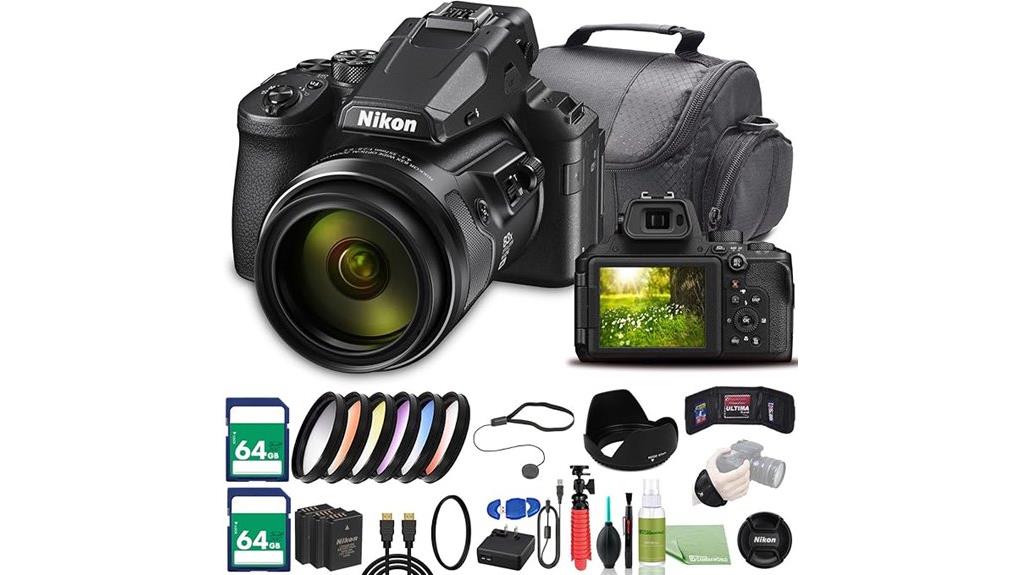
You’ll get insane 24–2000mm reach in a travel-friendly body, so you can chase birds, planes and sports without lugging heavy glass or swapping lenses. The P950 prioritizes reach and portability over pro-speed AF or shallow-DOF looks, and its 1/2.3″ 16MP sensor means noise and softness rise at the long end. Stabilization and RAW help a lot, and a tripod pays off for best results—keep going to see how it performs in field tests and workflows.
Some Key Takeaways
- Exceptional 83x (24–2000mm equivalent) zoom delivers unmatched reach for wildlife, aviation, and distant sports in a portable package.
- 1/2.3″ 16MP BSI CMOS sensor gives good detail at moderate ISO but softens and shows noise beyond ISO 800.
- Optical plus electronic stabilization enables usable handheld telephoto shots, though a tripod greatly improves sharpness at extreme focal lengths.
- 4K30 and 1080p60 video are stable for handheld use, but detail and rolling shutter are limited by the small sensor.
- RAW capture, disciplined shutter/ISO choices, and fast storage significantly improve final image quality at long reach.
Which Shooters Should Consider the Nikon COOLPIX P950 and Why
If you need extreme reach without hauling a full telephoto kit, the P950 is built for you: its NIKKOR 83x zoom (24–2000mm equivalent) and built-in stabilization let wildlife, aviation, and sports shooters frame distant subjects quickly and reliably. You’ll appreciate the P950 if you prioritize reach and portability over interchangeable-lens flexibility. For budget birding you won’t lug heavy glass yet still get usable subject detail; for casual travel you’ll cover landscapes to distant architecture without swapping lenses. Professionals needing fast AF or shallow depth won’t find it ideal, but enthusiasts and content creators gain a pragmatic, high-reach solution. Consider pairing the P950 with a lightweight tripod designed for travel to maximize sharpness at extreme focal lengths and improve composition with compact support.
Nikon P950 Key Specs That Matter for Superzoom Performance
Start by focusing on the P950’s three headline specs that define its superzoom performance: the NIKKOR 83x optical zoom (24–2000mm equivalent) for reach, the 1/2.3″ 16MP BSI CMOS sensor and 14-bit processing for image quality and dynamic range, and the optical/digital stabilization system for usable handheld telephoto shots. You’ll value the lens sharpness at shorter focal lengths and its controlled aberrations, but accept softer corners and diffraction toward the long end. Be practical about sensor limitations: small pixels limit high-ISO headroom and dynamic range compared with larger sensors. Still, RAW and stabilization maximize usable results. This camera is aimed at enthusiasts seeking essential DSLR-style superzoom gear for extended reach and versatility.
Real-World Reach Test: 24–2000mm in Handheld Wildlife and Aviation Shots
Push the P950’s 83x NIKKOR zoom to its limits and you immediately learn where reach turns into trade-offs: at 2000mm equivalent you can frame distant birds or aircraft from surprising distances and handheld stability—thanks to the optical/digital stabilization and steady shutter technique—often yields usable results, but you’ll need to be disciplined about shutter speed, ISO, and focus strategy to counter softening from diffraction, atmospheric haze, and the sensor’s small pixels. You’ll exploit handheld reach for scouting and opportunistic shots; expect atmospheric compression to flatten distance cues. Aim for high shutter speeds, spot or continuous AF, careful exposure, and conservative sharpness expectations. For those who prioritize travel-friendly gear and versatile long-reach options, consider how a compact tripod setup complements the P950’s strengths.
Image Quality Deep Dive: Detail, Noise, RAW vs JPEG, and Stabilization
After testing reach on birds and aircraft, you’ll notice that getting a sharp, clean image at extreme focal lengths depends as much on image quality management as on framing and stabilization. You’ll evaluate sensor detail: the 16MP 1/2.3” chip resolves fine plumage and panel lines at moderate ISO but softens at full zoom. Noise rises beyond ISO 800; RAW gives latitude to recover texture and color without harsh artifacts, while JPEG handles in-camera sharpening and NR. In a stabilization comparison, optical VR plus electronic modes together beat single-mode attempts, but steady technique and higher shutter speeds remain essential. For long-reach shooting it’s also important to use high-performance storage like CFexpress cards to ensure fast write speeds and reliable buffering.
Video and Timelapse Performance: 4K, 1080p60, and In-Camera Workflows
When you switch the P950 into video mode, you’ll find a flexible but pragmatic toolset: UHD 4K30 and Full HD 1080p60 give you frame-rate options for smooth action or high-resolution stills-from-video, while in-camera time-lapse and movie-creation tools let you produce finished clips without a desktop workflow. You’ll appreciate stable handheld results from effective stabilization, though rolling shutter and detail limits of the 1/2.3″ sensor show at 4K. 4K workflows are straightforward—MPEG‑4 files via micro‑HDMI or SD export—but plan bitrate and card speed. Use Creative timelapse options for interval control and on-camera rendering when mobility matters. Consider pairing the P950 with on-camera LED accessories to brighten your footage when shooting in low light.
Controls, Ergonomics, and Battery Life for Extended Field Use
The P950’s physical controls and ergonomics matter as much as its video features when you’re out shooting long sessions or chasing distant subjects. You’ll appreciate logical button placement: mode dial, side zoom rocker, and assignable side dial fall naturally to hand, letting you tweak exposure or focus without hunting controls. Grip shape and textured thumb rest keep the camera stable at long focal lengths, reducing fatigue. Battery endurance with the EN-EL20a is adequate for moderate outings but plan spares for full-day shooting or heavy 4K/continuous use. Pack extra batteries and a charger for uninterrupted field work. Consider keeping a supply of compatible spare camera batteries on hand to avoid missing shots during extended outings.
Bundle Value and Accessories That Turn the P950 Into a Complete Kit
Because the P950’s strengths revolve around reach and versatility, the bundled accessories matter—you’ll get a ready-to-go kit that covers power, protection, storage, and optics so you can start shooting serious telephoto work right away. The package includes spare EN-EL20 batteries, dual 64GB cards, a padded case, 67mm filters and hoods, tripod and cleaning kit—items that address runtime, backup, and image quality. In accessory comparisons this bundle stands out for completeness; you’ll pay more upfront but avoid piecemeal buys. If you need budget alternatives, swap branded filters or the deluxe case for reliable third-party equivalents to cut cost. Many photographers who use high-power setups also prioritize dual battery chargers to keep multiple EN-EL20 batteries ready for extended shoots.
Some Questions Answered
Does the P950 Support External Microphones for Better Audio Capture?
No — you can’t plug an external mic directly into the P950 because it lacks a dedicated mic input. You can still improve audio though: you’ll need external recorders or cameras with mic jacks, then sync audio in post. If you try adapters, be aware audio adapters won’t create a mic input on the P950; they only convert connectors. Plan for a separate recorder or wireless system and use reliable audio adapters when integrating tracks.
Can the Camera Be Used Underwater With an Aftermarket Housing?
Yes — you can use the camera underwater with aftermarket housings, but you’ll need one rated for the depths you plan to reach. Choose housings specifically sized for the P950’s controls and lens extension, verify the depth ratings, and confirm access to zoom and mode dials. Inspect O‑rings, test in shallow water first, and follow manufacturer maintenance to avoid leaks and protect the sensor and electronics.
Is There an Electronic Shutter to Eliminate Mirror or Vibration Issues?
No — the P950 doesn’t offer a dedicated electronic shutter; it uses a mechanical shutter with electronic front-curtain options in some modes, so you’ll still need vibration reduction to combat shake. You’ll rely on its optical/digital vibration reduction, fast shutter speeds, and image stabilization to minimize blur. If you need full silent, vibration-free capture, you’ll want a camera with a true electronic shutter or shoot at high shutter speeds and enable VR.
What File Formats and Color Profiles Are Available for HDMI Output?
You’ll get standard HDMI output with Rec.709 Colorspace for conventional monitoring; the P950 doesn’t offer Clean HDMI (it overlays some info in certain modes). Video output uses MPEG‑4 H.264 encoded files; HDMI mirrors that feed for live view and playback. You can’t select RAW over HDMI or alternate color profiles beyond Rec.709. For pure, overlay‑free Clean HDMI and wider color options you’ll need an external recorder on a different camera.
Are There Firmware Updates That Add Features or Fix Bugs?
Yes — Nikon issues firmware updates that add firmware features and fix bugs; you should check update history on Nikon’s support site. You’ll want to review release notes to see added functions, performance tweaks, autofocus or video stability fixes, and compatibility improvements. Back up settings, fully charge your battery, and follow Nikon’s update instructions. You’ll also find community notes detailing practical impacts and any remaining issues after each firmware update.


