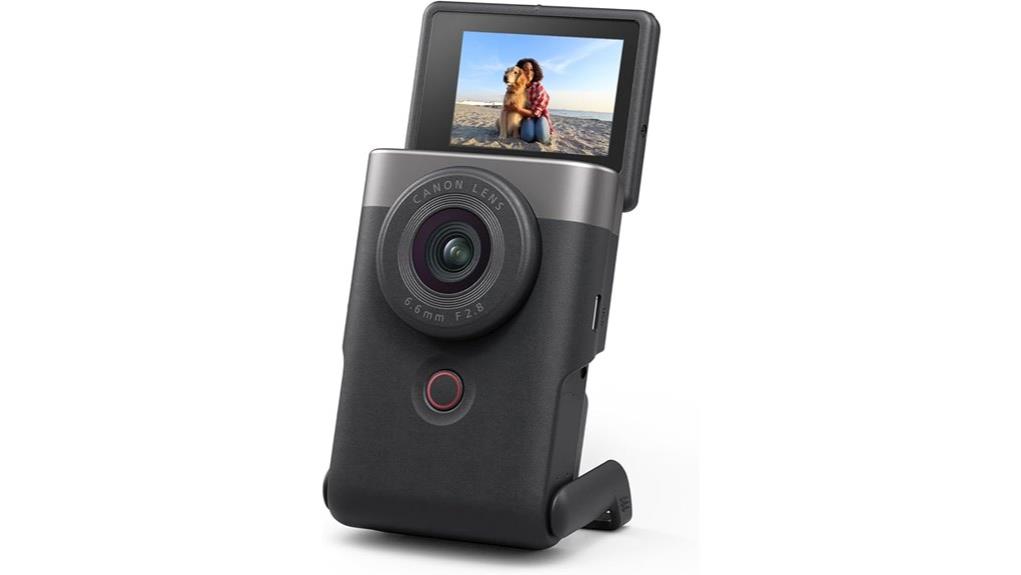
You’ll find the Canon PowerShot V10 a compact vlogging tool that balances 1‑inch image quality, steady in‑body stabilization, and good built‑in audio for one‑handed shoots. Its fixed 19mm‑equivalent lens and 15.2MP sensor deliver clean social‑ready images and 4K30 video, though noise rises past ISO 1600 and stabilization won’t beat a gimbal. Connectivity for wired streaming is solid, battery life is adequate with spares advised, and below you’ll get full performance, handling, and accessory advice.
Some Key Takeaways
- Pocketable vlogging camera with 1‑inch 15.2MP sensor and fixed 19mm‑equivalent lens for sharp center-to-midframe images.
- Records 4K up to 30p with three stabilization modes; IS Enhanced improves handheld shots but won't match a gimbal.
- Built‑in stereo and center mics plus external mic jack enable good onboard audio and easy microphone upgrades.
- USB‑C with micro‑HDMI supports clean wired streaming; Wi‑Fi/Bluetooth streaming can suffer from latency.
- Compact, one‑handed design with retractable screen, adequate battery for casual use, but bring spares for long shoots.
Quick Verdict: Should You Buy the Canon PowerShot V10?
If you want a pocketable vlogging camera that balances image quality, stabilization, and audio without fuss, the Canon PowerShot V10 is worth considering. You’ll get reliable handling for one-handed shoots, good built-in mics, and practical connectivity for streaming. Evaluate battery life against your workflow—battery grip options are limited, so plan for spares or external power. The compact build offers notable aesthetic appeal without sacrificing controls. You won’t get interchangeable lenses or pro-grade low-light performance, but for creators prioritizing portability, ease, and polished daily content, the V10 represents a pragmatic, well-rounded choice. Consider pairing the camera with durable micro HDMI cables for reliable connectivity when streaming or transferring footage.
Image and Video Performance: Sensor, Lens, Low-Light, and Stabilization
Having covered whether the V10 suits general creators, now look at how its imaging hardware and stabilization actually perform. You get a 1 inch sensor with 15.2MP that delivers clean JPEGs and usable dynamic range for web and social use; noise rises predictably past ISO 1600. The Fixed wide angle 19mm-equivalent lens is sharp center-to-midframe, great for vlogging and interiors, though corners soften slightly. Video reaches 4K30 with solid detail; stabilization has IS Off, IS On, and IS Enhanced—firmware 1.2.0 improves rolling correction but can't match gimbals. Low-light shooting is competent but limited by f/2.8 aperture and sensor size. Consider using silver photo reflectors to maximize available light and improve subject illumination.
Audio, Streaming, and Connectivity: How It Handles Vlogging and Live Use
While compact, the V10 packs a thoughtful audio and connectivity suite that targets vloggers and live streamers: stereo mics plus a center mic help reduce background noise, there’s an external mic jack for higher-quality capture, and USB-C with micro‑HDMI output supports tethered streaming and clean feeds. You’ll get reliable on-camera capture and the option to upgrade sound via the aux port. USB-C tethering and micro‑HDMI provide low-latency clean output, though wireless latency over Wi‑Fi/Bluetooth can hinder direct streaming without a wired link. Audio monitoring is available via the interface, letting you check levels in real time. For photographers choosing accessories, a good memory card reader can speed up your workflow by quickly transferring footage to your editing system.
Handling, Controls, Battery Life, and Build for One‑Handed Vlogging
Because Canon designed the V10 for single-handed use, its controls, grip, and battery behavior work together to keep shooting simple and dependable. You’ll notice grip comfort is good for short shoots; the textured surface and compact weight favor one handed operation without strain. The button layout is logical—shutter, record, and mode controls sit within thumb and forefinger reach, aiding quick adjustments. The retractable screen improves screen usability for framing and selfie vlogging, though its small size limits detailed monitoring. Thermal performance is acceptable during typical clips but may throttle long 4K takes. Battery longevity meets casual all-day use but plan spares. If you shoot mirrorless cameras regularly, consider essential accessories like spare batteries to extend your outings.
Who This Camera Is For : Alternatives and Final Buying Recommendations
If you prioritize pocketable, one‑handed vlogging with good low‑light stills and straightforward streaming, the PowerShot V10 is a strong pick—its 1‑inch sensor, 19mm lens, and simple controls let you grab polished clips quickly, and the retractable screen plus decent microphones simplify selfie workflows. You’re a social creator or travel vlogger who values size, low‑light performance, and easy live streaming. Consider budget alternatives like older compact models or action cams if price or ruggedness matters. For higher image control, mirrorless competitors offer larger sensors. Overall, V10 balances convenience and quality for focused creators. Gimbals can further improve handheld footage stabilization for smooth mobile-style shots with little setup, especially when paired with compact cameras like the V10 smooth mobile shots.
Some Questions Answered
Does the V10 Support RAW Stills Capture Natively?
No — the V10 doesn’t natively offer RAW capture in its standard settings. You’ll get high-quality JPEGs with Color profiles and some processing options, but true RAW files aren’t standard. You can rely on Dual exposure-like features and Lens correction for improved JPEG output, yet if you need uncompressed RAW for heavy post, this camera won’t provide that native RAW workflow; consider alternative models or firmware updates for changes.
Can It Record External Mic Audio While Streaming Over USB?
Yes — you can use an external mic while streaming over USB, but USB passthrough audio behavior is limited. The V10 accepts external mic input via its aux port and records locally, and it supports live streaming over USB-C. However, the camera may not always route external mic audio through the USB passthrough to the host; you should test your setup or use the camera’s live-streaming mode and confirm audio routing before critical streams.
Is There In-Camera Vertical Video Cropping or Shooting Mode?
Yes. You can capture vertical framing by rotating the retractable screen and using portrait presets to compose and record in portrait orientation. The camera itself doesn’t crop a horizontal file into vertical in-camera; it records native vertical-framed footage instead. You’ll get portrait-oriented MP4/JPEG outputs ready for social platforms without post-cropping, simplifying workflow while maintaining resolution and stabilization consistent with chosen shooting modes and IS settings.
What microSD Capacities and File Systems Are Supported?
You can use microSD cards up to typical high capacities; the camera lists microSD compatibility and recommends UHS Speed Class 3 (U3) / Video Speed Class U3 for reliable recording. Filesystem support generally includes FAT32 for cards up to 32GB and exFAT for cards 64GB and larger, which the camera needs for high-capacity and 4K recording. You should format cards in-camera to guarantee proper filesystem compatibility and performance.
Does the Front Screen Flip Fully for Top-Down Shooting?
Yes — the front screen flips forward for top-down shooting, letting you angle the 2-inch display up to about 30 degrees for hands-free framing. You’ll evaluate front flip mechanics as smooth and compact, designed for quick one-hand adjustments. Hinge durability seems adequate for casual vlogging and selfie use, but frequent heavy repositioning may stress it over time. Treat it gently and don’t force beyond its limited travel range.


