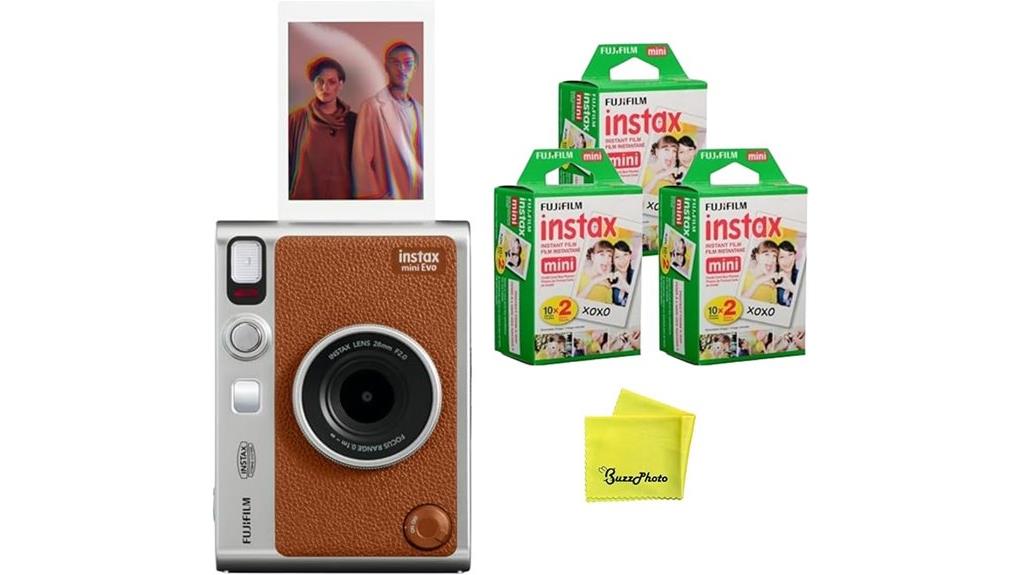
You get a tactile hybrid that prints true 2"×3" Instax photos while also saving ~600 DPI digital files to microSD or your phone via Bluetooth, so you can preview, tweak exposure/white balance, and pick from 100 film×lens combinations using physical dials and the app. Shooting is responsive for casual use, prints show surprising microdetail with analog grain, and workflows are reliable—keep going to see full image-quality notes, workflow tips, and alternatives.
Some Key Takeaways
- Hybrid instant camera that captures ~600 DPI digital files and prints 2"×3" Instax Mini photos for print-plus-digital workflows.
- Offers 100 creative looks via 10 lens-effect and 10 film-effect combinations controlled by tactile dials.
- App pairing is reliable, enabling on-screen framing, exposure/white-balance tweaks, remote shooting, and automatic phone save.
- Prints show surprising microdetail with analog grain and halation; midtones are accurate and highlights can be punchy.
- Best for analog enthusiasts and casual creators wanting image-level control; drawbacks include modest battery life and ongoing film costs.
What the Instax Mini EVO Actually Is and Who It’s For
While it looks like a retro instant camera, the Instax Mini EVO is a hybrid device that prints 2" x 3" Instax Mini photos while also capturing and saving high‑resolution digital images (effective still resolution ~600 DPI) to a microSD card or your phone via the INSTAX MINI EVO app. You’ll find it's aimed at a mixed target audience: analog enthusiasts who want digital backups and casual shooters. User personas include social hobbyists, creative influencers, and beginner photographers seeking tactile prints with app-based control. Its price positioning sits mid-range, offering print-plus-digital workflow without prosumer complexity or steep cost. Our store focuses on products tailored for mirrorless camera enthusiasts who appreciate hybrid photographic workflows.
Key Features That Make the EVO Hybrid Different From Other Instax Cameras
Because the Instax Mini EVO blends analog printing with a true digital workflow, it stands apart from other Instax models by giving you precise control over both capture and output. You get 10 lens-effect and 10 film-effect options that combine via a tactile lens dial and film dial, enabling lens customization for specific looks before you print. The camera records 600 DPI stills to microSD or transfers via Bluetooth, so the hybrid workflow lets you edit, select, and save images digitally prior to committing to a 2" x 3" print. Dual shutter buttons, exposure adjustment, and an optical viewfinder complete the image-focused toolset. For those who mount their phone for remote shooting or composition reference, a sturdy phone camera mount can make syncing and shooting with the EVO much easier.
Real-World Image Quality, Print Quality, and Shooting Performance
The hybrid workflow you just read about directly informs how the Instax Mini EVO performs in real shooting conditions: you can preview, tweak, and save a 600 DPI digital capture before committing to a 2" x 3" print, which changes how you manage exposure, composition, and creative effects in the field. You’ll notice accurate midtones and punchy highlights, though dynamic colorcasts appear with some film×lens combos. Prints retain surprising microdetail for Instax size; grain and halation add analog character. Shutter lag is minimal for casual use but noticeable in fast action. Flash and exposure compensation give predictable, repeatable results across modes. For keeping those prints and lenses in top condition, consider using lens cleaning products designed for optical surfaces.
Connectivity, App Workflow, Storage, and Printing From Your Phone
Plug in your phone’s Bluetooth, open the INSTAX MINI EVO app, and you’ll get a tight, predictable workflow for shooting, editing, and printing on the go. You’ll complete Bluetooth pairing in seconds; the app lists available cameras, confirms firmware, and lets you choose App presets for instant looks. Frame on-screen, use Remote printing to trigger a physical 2"×3" print, and adjust exposure or white balance before you print. Images save to your phone automatically; you can export to microSD for archival storage or enable Cloud backup for off-device redundancy. The pipeline is direct, image-focused, and reliably repeatable. For longer outings, consider portable power like USB camera battery packs to keep your Instax and phone charged.
Final Verdict: Pros, Cons, Who Should Buy and Recommended Alternatives
While it blends analog charm with digital control, the Instax Mini EVO excels when you want tactile 2"×3" prints without sacrificing image-level adjustments or file management; you’ll get 600 DPI effective output, 100 lens/film combinations for deliberate looks, and reliable Bluetooth app workflows that save prints to your phone or microSD for archiving. Pros: compact build, precise lens/film dials, exposure/white-balance tweaks, dual-orientation shooting, microSD save. Cons: no waterproofing, film cost, modest battery life. Who should buy: enthusiasts who prioritize image-by-image creative control and specific buyer demographics seeking hybrid instant output. Alternatives: Polaroid Go, Fujifilm Instax Square SQ1. Photographers serious about color should consider color calibration tools to get consistent prints across devices.
Some Questions Answered
Does the EVO Support Rechargeable Batteries or Only Built-In Battery?
No — the EVO uses an internal built-in battery, so it doesn't accept external AA cells or direct rechargeable compatibility via removable packs. You’ll charge the camera’s lithium‑ion battery through its USB-C port; battery replacement requires authorized service rather than user swap. If you need replaceable power, plan for external USB power banks for shoots. Keep spare charged power banks and monitor battery level to avoid interruptions during image-heavy sessions.
Can I Use Third-Party Instax Mini Film With This Camera?
Yes — you can use third-party Instax Mini film, but stick with compatible brands that specify Instax Mini format to guarantee frame size and chemistry match. You’ll get predictable prints if you manage film storage: keep packs sealed, cool, and away from light and humidity. Expect subtle color and density differences versus Fujifilm originals; test a pack first, adjust exposure/white balance, and note any variations for consistent, image-focused results.
Is There Any Dust/Scratch Protection for the Printed Photos?
No — prints aren’t coated, so they’re prone to dust and scratches. You should handle them by the edges, let em fully develop face-up, then protect with clear laminated sleeves sized for Instax Mini or use archival storage boxes or albums with PVC‑free pages. For display, choose UV‑resistant frames behind glass. For long-term preservation, store in cool, dry, dark conditions with silica gel and avoid adhesive mounts that can damage em.
Does the Camera Accept Lens Accessories or Filters?
No — the camera doesn’t accept interchangeable lens adapters or screw-on color filters. You’ll work with the built-in lens and the 10 lens-effect options plus film-effect simulations to alter look and color. For physical color filters or specialty glass you’d need external accessories like clip-on filter mounts designed for the fixed lens or to apply filters digitally via the app before printing. That preserves image quality and framing.
Can the EVO Print Directly From a Computer via USB?
No — you can’t do USB printing or PC tethering directly with the EVO. The camera’s USB port is for charging/data only; it doesn’t present as a printer or offer direct PC print drivers. You’ll need to transfer images to your phone or microSD, or use the INSTAX MINI EVO app over Bluetooth to print. For tethered workflows, export files from your computer to a phone or card first, then initiate printing from the app or camera.


