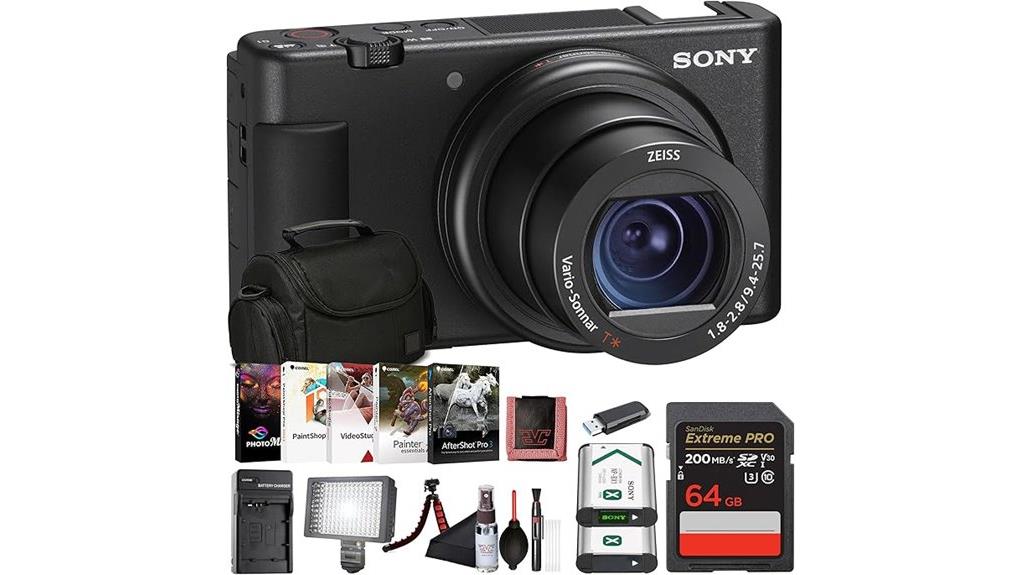
You’ll find the Sony ZV‑1 is a compact, creator‑focused vlogging camera that balances 1‑inch image quality, fast autofocus, and onboard audio in a pocketable body. Its ZEISS 24–70mm equivalent lens and 20.1MP stacked sensor give clean 4K footage in good light, while digital stabilization and 10‑bit processing help handheld clips. Battery life and single SD slot limit long shoots, and there’s no EVF. Keep going to see detailed performance, workflow tips, and alternatives.
Some Key Takeaways
- Compact ZV-1 pairs a 1-inch 20.1MP sensor with a ZEISS 24–70mm equiv. f/1.8–2.8 lens for high-quality vlogs and travel shots.
- Flip-out touchscreen, creator-focused controls, and reliable face/eye autofocus streamline framing and solo shooting workflows.
- Built-in 3-capsule directional mic plus 3.5mm and multi-interface shoe support improve audio for interviews and streaming.
- 4K video with 10-bit-ish processing and respectable grading latitude, but limited dynamic range and mild rolling shutter on fast pans.
- Battery life and single SD slot limit long shoots; bring spare NP‑BX1 battery and extra cards for extended sessions.
Quick Verdict: Is the Sony ZV‑1 the Right Vlogging Camera for You?
Wondering if the ZV‑1 fits your kit? You’ll find a compact, creator-focused camera that balances image quality with pocket portability. Its controls and flip screen make framing and quick edits straightforward, while included accessories expand usability out of the box. Battery ergonomics aren’t exceptional — NP‑BX1 runtime is modest — so you’ll rely on the spare battery and charger in the bundle for longer shoots. Autofocus, mic options, and connectivity suit solo creators and streamers, but limited card capacity and absence of an EVF may constrain some workflows. Overall, it’s a pragmatic choice for on-the-go vlogging. It’s a great match for those building a mirrorless camera kit focused on portability and versatility.
Key Specs That Matter for Creators (Lens, Sensor, Stabilization, Audio)
Start by focusing on the three specs that dictate what you'll actually capture: the lens, the sensor, and stabilization — with audio as the make-or-break for finished content. The ZEISS 24–70mm equivalent with a fast aperture (f/1.8–2.8) gives flexible framing and low‑light control. Sensor size (1‑inch stacked Exmor RS, 20.1MP) balances detail and noise in a compact body. Digital stabilization helps handheld 4K clips but has limits versus gimbals. Audio arrives via a 3‑capsule directional mic with windscreen; you can still use the mic input or multi‑interface shoe for superior external mics when needed. External monitors can improve framing and exposure decisions by offering a larger, clearer view of your scene external camera monitors.
Real‑World Image and 4K Video Performance You Can Expect
Although the ZV-1's 1‑inch stacked sensor and ZEISS 24–70mm f/1.8–2.8 lens won't match full‑frame resolution or depth of field, you'll get clean, detailed 4K footage and high‑quality stills in most creator scenarios—especially in good light—thanks to sensible noise control, 10‑bit processing claims, and the lens' speed for subject isolation. In practice, color grading latitude is respectable for online delivery, though dynamic range limits appear in contrasty scenes. Low‑light performance is usable to moderate ISO, with digital stabilization tradeoffs. Expect mild rolling shutter on fast pans and noticeable lens breathing during zooms; overall image delivery is pragmatic and reliable. For controlled sessions, pairing the camera with continuous LED lighting can notably improve color consistency and reduce noise.
Autofocus, Mic Options, and Live‑Streaming Setup Tips
When you pair the ZV-1's fast contrast-detection AF with its 315 focus points and face/eye-detection routines, you'll get reliable subject tracking for most vlogging scenarios, though you should expect occasional hunting in very low light or during extreme lateral pans. You’ll appreciate Eye tracking for steady framing and quick re-locks. The built-in 3-capsule mic is usable; external mics via the multi-interface shoe or 3.5mm input give cleaner dialogue and wind rejection with the included windscreen. For live streaming use USB-C with compatible software, confirm live encoding settings on your host, and keep low light exposure and ISO under control. For best results also maintain a dedicated camera cleaning station with essential gear like blower bulbs and lens tissues to protect optics and microphone ports during regular maintenance cleaning station.
Battery Life, Storage Limits, and What’s Included in the Box
Because the ZV-1 targets creators on the go, battery life and storage are practical constraints you'll need to manage: the NP-BX1 1240 mAh cell delivers modest runtimes (typical mixed-use shooting runs under two hours), so plan for at least one spare battery for extended sessions, and use airplane mode and viewfinder-off habits to stretch charge. Assess battery longevity relative to shoot style; heavy 4K or screen use shortens cycles. Storage-wise the single SD slot and included 64GB UHS-I card mean disciplined card management: archive footage frequently, carry extra cards, and monitor file sizes to avoid mid-shoot interruptions. Included accessories cover basic needs. Consider pairing your spares with a reliable USB camera battery charger for convenient on-the-go recharging.
Strengths and Weaknesses by Use Case (YouTube, Travel, Interviews)
While the ZV-1’s compact size and creator-focused features make it a strong all-around vlogging tool, its real-world suitability depends on how you intend to use it—YouTube creators, travelers, and interviewers will each find distinct strengths and trade-offs. For YouTube, you’ll get excellent autofocus, good audio options, and a streamlined content workflow, but limited battery management forces spare batteries or USB power for long shoots. As a travel camera it’s lightweight and pocketable; consider travel accessories like a sturdier tripod and extra card. For interviews, clear mic options help, yet interview lighting and absence of an EVF can constrain setup. Check out our selection of camera backpacks to carry your ZV-1 and essentials safely.
Practical Alternatives and When to Choose Them Over the ZV‑1
Given the ZV-1’s strengths and its clear trade-offs across use cases, you’ll want to weigh alternatives that address its limiting factors—battery life, lack of EVF, fixed 1‑inch sensor, and single card slot—rather than replacing it for vague reasons. Consider mirrorless bodies (APS-C or full‑frame) when you need larger sensors, interchangeable lenses, dual card slots, and better low‑light performance; they suit run‑and‑gun creators who prioritize image quality and redundancy. Look at compact alternatives like Canon G7 X Mark III for similar portability, or prioritize Smartphone upgrades if convenience, instant sharing, and computational imaging outweigh manual controls. For creators who often shoot solo, pairing your camera with a reliable tripod can substantially improve stability and framing.
Some Questions Answered
Can the Zv‑1 Record Externally to an SSD via Usb‑C?
No, you can’t record video directly to an external SSD via USB‑C on the ZV‑1. You’ll have to record internally to the SD card and can output clean HDMI for external recorders. You can use USB audio for live streaming or as a webcam via USB‑C, but full external video recording over USB isn’t supported. For higher quality external captures, route via micro‑HDMI to an external recorder.
Is the Touchscreen Usable for Touch-To-Focus and Menu Navigation?
Yes — the touchscreen supports touch focus and menu navigation. You can tap the LCD to shift AF point quickly during framing, and pinch/scroll gestures aren’t supported but touch selections work for exposure point and AF tracking. Menu navigation via the screen is responsive for basic settings, though deeper custom menus sometimes feel clunkier than physical controls. Overall, the touch interface speeds framing and focus adjustments but isn’t fully gesture-rich.
Does the Camera Support Vertical (Portrait) Video Auto‑Orientation?
No — it doesn’t offer automatic vertical detection to tag portrait framing metadata during recording. You’ll need to physically rotate the camera and set framing manually or use the vari-angle screen to compose portrait shots; the ZV-1 won’t auto-rotate files for portrait framing. For social platforms you’ll either record in vertical orientation yourself or reframe/crop in post, as no built‑in vertical detection or auto-orientation feature exists.
Are There Firmware Updates That Add New Features Frequently?
No, you won’t see very frequent firmware cadence for the ZV-1; Sony issues occasional updates rather than regular feature rollouts. You should expect bug fixes, stability improvements, and occasional added functions (autofocus tweaks, compatibility or file support) spaced months apart. Monitor Sony’s support page and community forums for announcements. If you rely on new capabilities, plan for incremental updates instead of steady, predictable feature rollouts.
Can the Zv‑1 Charge While Recording Through USB Power?
Yes — you can record while the ZV‑1 charges via USB, but you should watch for battery charging and power limits. USB power will maintain or slowly charge the NP‑BX1 during recording, yet high‑draw tasks (4K, continuous recording, or using accessories) may exceed USB input, causing slower charging or plateauing. For reliable long sessions, use a fully charged spare battery, an external power bank meeting USB‑PD specs, or AC adapter.


