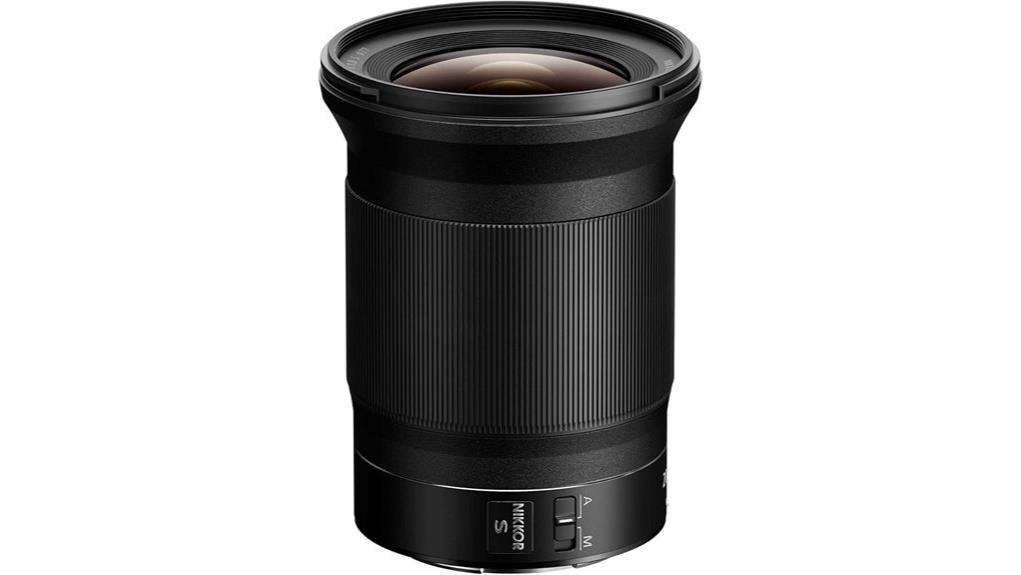
You’ll get a razor‑sharp 20mm f/1.8 that holds center detail wide open and tightens edges by f/2.8–f/4, with minimal chromatic aberration thanks to ED elements and Nano Crystal Coat. It renders creamy close‑up bokeh for environmental portraits and stays usable at high ISO for night work. AF is fast and reliable on Z6/Z7/Z9 with effective stabilization when paired with IBIS. Keep going and you’ll find full test results, comparisons, and handling notes.
Some Key Takeaways
- Outstanding center sharpness wide open at f/1.8, with edges tightening noticeably by f/2.8–f/4.
- Minimal chromatic aberration and strong flare control thanks to ED elements and Nano Crystal Coat.
- Creamy bokeh and useful subject separation for environmental portraits despite ultra-wide 20mm view.
- Fast, reliable autofocus and eye/subject tracking on Z6/Z7/Z9, with quiet operation suited for video.
- Excellent landscape performance at f/5.6–f/11, outperforming many 14–24mm zooms in edge resolution and low-light capability.
Real-World Sharpness, Bokeh, and Low-Light Performance With Sample Results
While you might expect some trade-offs from an ultra-wide f/1.8, the NIKKOR Z 20mm f/1.8 S delivers consistently high sharpness across the frame in real-world shooting: center resolution is excellent wide open, and edge performance tightens noticeably by f/2.8–f/4 with minimal chromatic aberration thanks to ED elements and Nano Crystal Coat. You’ll notice strong edge sharpness even at modest apertures, with controlled field curvature. Creamy bokeh appears for close environmental portraits despite the wide view. High ISO performance remains usable for night landscapes, preserving detail with restrained noise and accurate microcontrast in practical exposures. It’s an excellent match for photographers using high-quality support gear like precision tripods to maximize sharpness in challenging conditions.
Autofocus, Stabilisation, and Handling on Z-Series Bodies
Tap into the Z-series' AF system and the 20mm f/1.8 S responds quickly and accurately: its multi-focusing motor delivers fast subject acquisition on bodies like the Z6/Z7 family and Z9, with reliable eye-detection and subject-tracking in both stills and video. You’ll get consistent focus lock and minimal hunting, aided by in-camera firmware improvements that refine AF behavior. Optical stabilization pairs with body IBIS to steady footage; on non-IBIS bodies you’ll rely on faster shutter or gimbal. Ergonomics are solid: weight balance, secure mount, and intuitive button placement on the lens for AF hold and custom functions. It’s a great fit for mirrorless enthusiasts looking for essential glass that complements the system’s strengths, especially when paired with in-body stabilization.
Optical Design, Coatings, and Aberration Control Explained
Having covered autofocus, stabilization, and handling on Z bodies, let's examine how the lens' optical design and coatings control image errors and preserve resolution. You get a multi-element layout with strategically placed aspherical elements and ED glass to flatten field curvature and maintain corner sharpness. Nano coating and multi-coated optics reduce flare and ghosting, improving contrast at wide apertures. Chromatic aberration is suppressed by low-dispersion elements and optimized group spacing, yielding tight color-cast control across the frame. The S-Line optical formula prioritizes consistent microcontrast and resolution from center to edge without relying on heavy post-processing corrections. For keeping those optics clean and maintaining peak performance, using a specialized lens cleaning tool helps preserve coatings and image quality.
How It Performs for Landscapes, Environmental Portraits, and Video
Regularly, the 20mm f/1.8 S delivers the control and resolution you need for landscapes, environmental portraits, and video. You get edge-to-edge sharpness and low aberration at f/5.6–f/11, letting you compose expansive scenes without microcontrast loss. For environmental portraits the focal length preserves subject context while maintaining subject separation with background rendering that’s neutral and clean. In video work the lens pairs with in-body stabilization and cinematic stabilization workflows to produce smooth pans and handheld moves. Autofocus is fast and quiet, manual focus is precise, and flare control holds contrast in backlit situations—practical, predictable performance for field use. It’s an excellent choice for photographers exploring wide-angle techniques and wanting reliable optical performance in varied shooting conditions.
Who Should Buy It and How It Compares to Alternatives
The 20mm f/1.8 S builds on its landscape and video strengths to serve photographers and videographers who need an ultra-wide, high-resolution prime that still handles low light and subject separation. You should buy it if you prioritize corner-to-corner sharpness, fast AF, and low-light capability on Nikon Z bodies; it's a professional upgrade for shooters moving from kit or wide zooms. It's beginners friendly in handling and ergonomics, but cost and size favor committed users. Compared with 14–24mm zooms you gain edge resolution and speed at fixed 20mm; compared to third-party 20mm primes you get better AF and coatings. It also fits well into a kit focused on zoom-lens versatility and pro-level performance for landscape and travel shooting, offering consistent results alongside zoom lenses.
Some Questions Answered
Is This Lens Weather-Sealed for Shooting in Rain or Dust?
No — it’s not fully weather-sealed for heavy rain or dust exposure. You’ll get some basic moisture resistance from quality construction and seals, but the lens isn’t rated as weatherproof. If you’ll shoot in wet or dusty conditions, you should use additional protection (rain cover, protective sleeve, or camera body with full sealing) to guarantee reliable long-term performance and avoid moisture ingress that the lens’s limited weather sealing can’t guarantee.
Can I Use This Lens With a Teleconverter and Retain Autofocus?
Yes — you can use a teleconverter with this Z‑mount lens via the FTZ adapter for F‑mount teleconverters or native Z teleconverters, but expect autofocus limitations. Teleconverter compatibility exists, yet adding a TC reduces effective aperture and AF speed/accuracy; low‑light and subject‑tracking performance will degrade. You'll retain AF in many cases, but confirm specific camera/TC combinations and accept potential hunting, slower acquisition, and limited continuous AF reliability.
What Tripod Collar or Support Is Recommended for Long Exposures?
Use an Arca style collar plus a dedicated Lens support under the lens foot for best stability during long exposures. You’ll mount an Arca-compatible clamp on a low-profile collar or an L-bracket that fits the Z20mm profile, then add a small adjustable Lens support (rubberized cradle) on your tripod head or rail to prevent sag and torque. This setup keeps alignment, minimizes stress on the camera mount, and improves micro-vibration damping.
Does It Accept Front and Rear Gel or ND Filters Without Vignetting?
Yes — you can use a front filter (77 mm) without severe vignetting on full-frame Z bodies for most scenes, though very wide-angle compositions may show slight corner shading at f/1.8. The lens doesn’t have a dedicated rear slot for internal gel filters, so internal gel use isn’t supported; use rear-mounted gels only via adapter solutions or rely on front-mounted ND/gel systems. Test at extremes to confirm.
Is There a Firmware Update Required for Full Compatibility With Z9?
No—there isn’t a mandatory firmware update for full firmware compatibility with the Z9; the lens works natively on Z9 bodies. You should still check Nikon’s firmware compatibility pages and camera update timeline for any optimizations. If Nikon releases an update, follow the published update timeline to install lens or camera firmware for improved autofocus or stabilization behavior. Keep originals and backup images before updating firmware.


