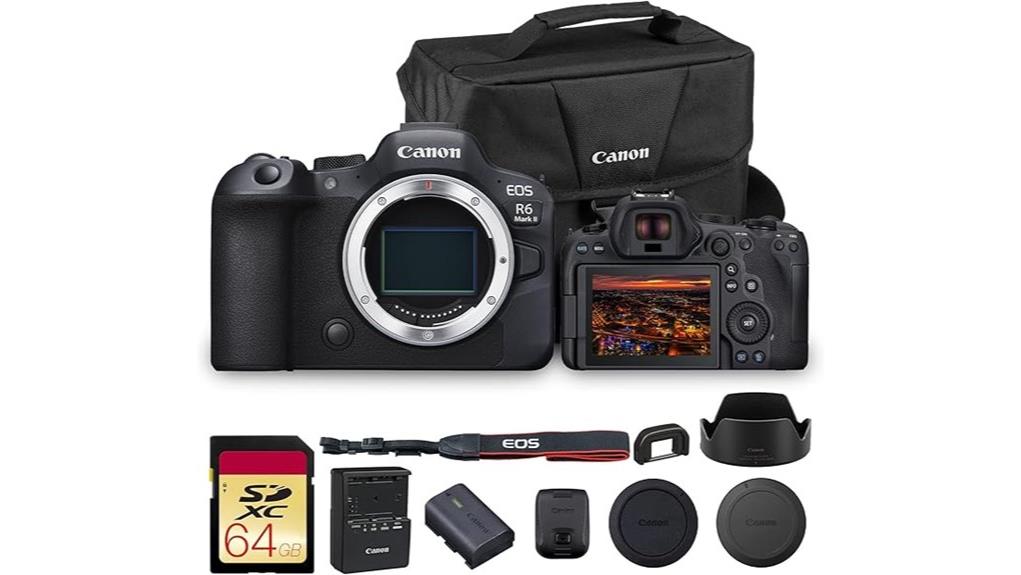
You’ll get a compact, pro-grade hybrid that delivers clean 24.2MP full-frame stills, reliable Dual Pixel CMOS AF II with near-full-frame coverage, and oversampled 4K/60p video with Canon Log 3 and HDR PQ. It’s built from magnesium alloy, uses the DIGIC X engine, and offers up to 40 fps electronic bursts plus unlimited 4K recording with thermal management needed for long takes. It’s ideal for hybrid creators who want fast AF and robust low-light performance—keep going to see detailed tests and workflow notes.
Some Key Takeaways
- Versatile 24.2MP full‑frame sensor + DIGIC X delivers detailed images, wide dynamic range, and clean high‑ISO performance for photo and hybrid work.
- Dual Pixel CMOS AF II offers fast, reliable subject recognition with near‑frame‑filling coverage and strong tracking for run‑and‑gun shooting.
- High-speed capture: up to 40 fps electronic and 12 fps mechanical with RAW burst options for action and sports workflows.
- Oversampled 6K→4K60 video, Canon Log 3/HDR PQ, and professional monitoring tools enable high‑quality 4K production; watch for thermal limits.
- Compact magnesium‑alloy body, LP‑E6NH battery, and recommended kit (two batteries, 24–70 and 70–200, gimbal) suit traveling hybrid creators.
Quick Verdict and Who the R6 Mark II Is Best For
Who needs the R6 Mark II? You do if you demand a balanced hybrid body: content creators and travel photographers will find its combination of reliable autofocus, robust low‑light performance, and compact magnesium‑alloy construction practical for varied assignments. You'll get responsive handling, long record capability, and frame‑filling AF coverage that simplifies run‑and‑gun work while supporting professional stills. The camera suits hybrid shooters who switch between photo and 4K video without format compromises, and pros who need dependable tracking for dynamic subjects. It isn't an entry model; you'll appreciate its system-level efficiency, ergonomics, and workflow advantages for sustained field use. The camera also benefits from a wide selection of mirrorless accessories to tailor performance for different shooting scenarios.
Key Specs That Matter (Sensor, AF, FPS, Video, Battery, Build)
Although it's compact, the R6 Mark II packs the core specs that determine how you'll shoot: a 24.2MP full‑frame CMOS sensor with DIGIC X processing delivers high detail, wide dynamic range and strong low‑light sensitivity; Dual Pixel CMOS AF II with deep‑learning subject recognition covers nearly the whole frame for fast, reliable tracking; burst rates hit 40 fps with the electronic shutter (12 fps mechanical) and include pre‑shooting/RAW burst options for decisive moments; video goes up to oversampled 4K60 with Canon Log 3 and HDR PQ plus unlimited recording and monitoring tools; a robust LP‑E6NH battery and magnesium‑alloy body provide durable power and handling for extended runs in the field.
You get precise control over exposure, color and motion workflows, plus extensive monitoring tools for professional video. AF coverage and tracking minimize lost frames; high FPS modes suit sports and wildlife; battery lifespan supports long shoots, and build durability from the magnesium‑alloy chassis resists field abuse while keeping weight manageable. Enhance your setup further with an external monitor for improved focus and framing accuracy external camera monitors.
Real-World Image, Low‑Light, and Autofocus Performance
When you push the R6 Mark II into real-world shooting, its 24.2MP sensor and DIGIC X engine deliver clean, detailed images with wide dynamic range and accurate color rendition, even under mixed lighting. You’ll find real world sharpness across focal lengths; microcontrast and edge clarity remain strong at base ISO. Low-light autofocus locks quickly using Dual Pixel CMOS AF II with deep‑learning subject recognition, maintaining tracking across nearly the full frame. Noise control is effective to high ISOs, preserving detail without aggressive smoothing. In practical use you’ll get reliable exposure latitude, consistent color, and confidence in autofocus for stills and fast action. For photographers who measure and optimize exposure, pairing the R6 Mark II with a dedicated light meter can help ensure consistent exposures across varied lighting conditions.
Video Workflow: 4K/60p, Codecs, Monitoring, and Thermal Considerations
If you plan to shoot 4K/60p on the R6 Mark II, know that the camera's 6K oversampling into 4K and DIGIC X processing give you clean, detailed footage but also require careful codec and monitoring choices to manage data rates and heat. You should prefer higher-bitrate XF-AVC or All-I for heavy grading; use Canon Log 3 or HDR PQ depending on delivery. Monitor exposure with zebras and focus peaking via simultaneous HDMI output to an external recorder/monitor. RAW recording is limited to external workflows—factor in massive file sizes. Prioritize heat management during extended 4K/60p takes to avoid thermal cutouts. Consider integrating bi-color lighting into your setup to maintain consistent color temperature and efficient budget-friendly illumination when shooting video.
Buying Decision: Alternatives, Value, and Recommended Kit Options
Assess your needs against the R6 Mark II’s strengths: excellent AF, 4K/60p oversampled video, and strong low‑light stills make it a versatile hybrid. If you need ultimate resolution or smaller bodies, consider full‑frame alternatives (R5, Sony A7 IV) or APS‑C options for lighter rigs. Evaluate total system cost including native and third‑party lenses, batteries, and media. For pros, bundle with two batteries, a fast 24‑70 and 70‑200, and a gimbal for video work. Check extended warranties for studio or rental use. Buy body‑only if you already own RF glass; otherwise choose value kits with lenses. Consider packing a lightweight tripod to keep your travel kit portable and steady on location.
Some Questions Answered
Does It Support In‑Camera Timecode for Multi‑Camera Shoots?
No — it doesn't provide dedicated in‑camera timecode embedding for multi‑camera shoots. You can, however, sync multiple R6 Mark II bodies using external genlock compatibility via compatible HDMI/SDI converters and timecode generators, or use audio slate/clap and post‑sync workflows. For professional multi‑camera rigs you'll need external timecode devices that embed TC and handle genlock distribution to guarantee frame‑accurate synchronization across cameras and recorders.
Can the R6 Mark II Charge via Usb‑C While Shooting?
Yes — you can charge the R6 Mark II via USB‑C while shooting, but note limitations. You’ll get USB‑power for continuous operation with passthrough charging, yet high loads (4K60, screen/EVF use, continuous 40fps bursts) may exceed USB supply. You should manage continuous draw management by using a high‑capacity PD power source and monitoring battery level; for guaranteed full performance, use the LP‑E6NH or external power solutions via the DC coupler.
Is In‑Body Image Stabilization Compatible With All RF Lenses?
No — IBIS works with most RF lenses but not absolutely all; lens compatibility varies and some older EF/RF lenses lack coordinated control. You’ll get stabilization with native RF optics that communicate gyro and focal-length data, while certain lenses rely solely on optical IS. Be aware of stabilization limits: extreme telephoto ranges, some adapters, or unsupported lens firmware can reduce effectiveness. Check Canon’s compatibility list and firmware updates for best results.
Are Firmware Updates User‑Installable Without a Service Center?
Yes — you can perform firmware installation yourself using Canon’s downloadable firmware and instructions in the user manual. You’ll copy the update to a formatted memory card, guarantee battery precautions (fully charged LP‑E6NH) and follow step‑by‑step prompts on the camera. The process is technical but user‑accessible; take care to avoid power loss. If problems occur, Canon provides update rollback options or service assistance for recovery.
What Official Weather‑Sealing Rating Does It Have?
There’s no official standardized rating; Canon describes the camera as weather resistant rather than assigning an IP or MIL‑STD figure. You should treat the EOS R6 Mark II as having robust seals and gaskets for dust and moisture protection in typical outdoor use, but you shouldn’t rely on it for prolonged exposure to heavy rain, immersion, or harsh environments without additional protection. Use protective covers or housings for demanding conditions. the canon eos 6d mark ii features several advanced capabilities that enhance its versatility in a variety of shooting conditions. It offers impressive low-light performance and a wide dynamic range, which makes it an excellent choice for both landscape and portrait photography. Additionally, the camera's dual pixel autofocus system ensures precise focus in fast-paced situations, providing users with confidence in capturing critical moments. For photographers looking to understand the canon eos r6 mark ii specs, it’s important to note that while the camera is built for durability, the performance in challenging weather conditions can vary. Additionally, the specifications include impressive autofocus capabilities and a high-quality sensor, making it a strong contender for both amateur and professional use. Always ensure you have the right accessories to enhance its functionality in diverse environments.


