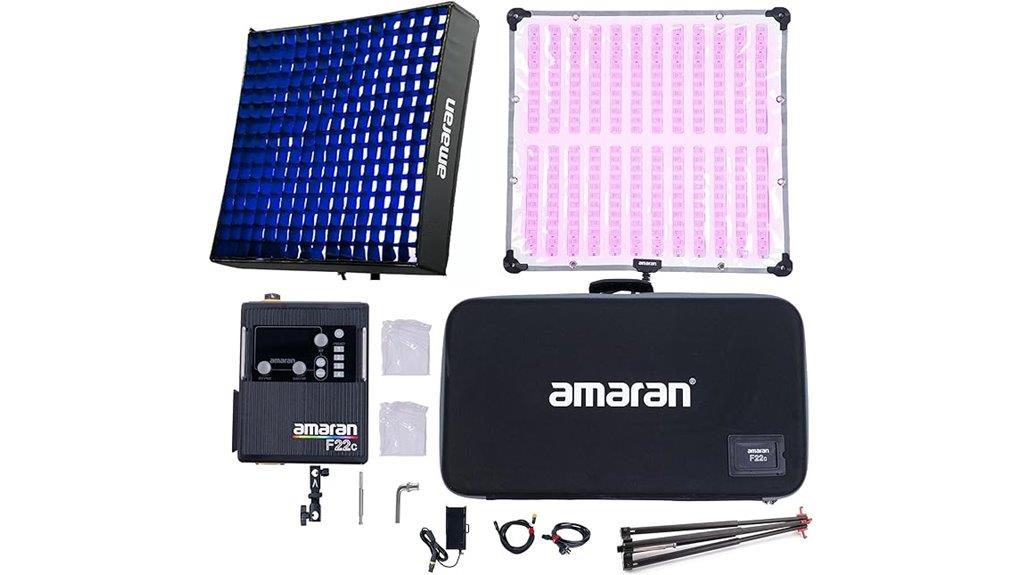
The Aputure Amaran F22c is a 200W RGBWW flexible mat that gives you high usable output (6,420+ lux at 1 m, 5600K), tunable 2500–7500K, and pro-grade color fidelity (CRI 95+, TLCI 97+). You’ll control it via Sidus Link, HSI, stepless dimming, USB‑C DMX and 15 programmable FX, and power it from AC or 14.4–48V batteries with hot‑swap. It’s built for cine/photo workflows—keep going to see setup examples and tradeoffs.
Some Key Takeaways
- 200W flexible 2'×2' RGBWW mat delivers measured 6,420+ lux at 1 m (5600K), strong usable output for pro shoots.
- Tunable 2500–7500K CCT with CRI 95+, TLCI 97+, CQS 96+ ensures accurate, consistent color for photo and video work.
- Sidus Link app and USB-C to 5‑pin DMX512 offer wireless HSI/CCT control and console integration for complex setups.
- Built-in parameterized FX, repeatable and timed, plus minimal typical wireless latency make it production-ready for effects.
- Multi-voltage power (AC, 14.4–48V XLR), battery bracket, and multiple rigging options provide on-set portability and hot-swap capability.
Quick Performance Snapshot: Brightness, Color Accuracy, and Specs
While the F22c targets pros who need a portable, powerful soft source, it delivers remarkably high output and accurate color across its tunable range. You’ll measure 6,420+ lux at 1 m (5600K) from the 2' x 2' 200W RGBWW mat; brightness metrics like lux and SSI are clear indicators of usable output. Tunable CCT (2500–7500K) plus HSI and high CRI/TLCI/CQS scores (95+/97+/96+) confirm consistent color fidelity for critical work. The flexible form factor, honeycomb grid, and included power options make deployment and mounting straightforward without compromising measured performance. The mat is well suited for photographers who prefer continuous LED lighting in studio and on-location setups.
How It Controls Light: App, DMX, HSI, and Built‑In Effects
Because the F22c combines app-based wireless control, DMX connectivity, HSI color control, and a suite of built-in effects, you can tailor light precisely for both studio and location work. You’ll use Sidus Link to set CCT, HSI hue/saturation, and save App shortcuts for common presets; the app exposes stepless dimming and direct access to 15 FX. For larger rigs, USB-C to 5‑pin DMX512 lets you integrate with consoles and trigger scenes. Expect minimal wireless latency in typical conditions, though RF congestion can introduce lag. Built-in FX are parameterized (speed, intensity, color) for repeatable, technical results. These flexible LED panels are ideal for photographers and filmmakers who want portable, high-output LED light panels that perform in both studio and location environments.
Power, Mounting, and Portability in Real Shoots
When you’re on location or moving between setups, the F22c gives flexible power options and straightforward mounting that keep downtime minimal: it runs from AC with the included supply, accepts 14.4V–48V DC via a 3‑pin XLR for V‑mount/Gold Mount batteries, and ships with a battery bracket for quick hot‑swap capability. You’ll evaluate battery life based on output levels; at high output expect shorter runtimes, while moderated settings extend continuous use. Rigging options are simple: use mounting adapters or soft clamps on standard grip gear, or suspend with the honeycomb grid removed. Travel weight is low for a 2'×2' 200W mat. This is a great choice for photographers who rely on dual battery chargers to keep shoots running without interruption.
Best Use Cases and Example Setups With the F22C
Although compact for a 200W 2'×2' mat, the F22c delivers versatile control and high-fidelity output that make it suited to keying, soft fill, practical replacement, and creative RGB effects across studio and location work. You can use it as a soft key in portrait setups with grid for directional wrap; set CCT to match ambient and dial intensity for consistent skin tones. For product shoots, mount close with diffusion removed for specular highlights or use honeycomb for contrast control. Use Sidus Link or DMX for timed FX, and battery or AC options let you deploy it handheld, tethered, or on boom. Consider pairing the F22c with umbrella lighting for softer, more portable light shaping in on-location shoots.
Verdict: Who Should Buy the Aputure Amaran F22c and Alternatives
Having outlined practical setups and strengths, here's who will get the most value from the F22c and which alternatives to contemplate. You’ll prefer the F22c if you need a high-output, color-accurate 2’×2’ flexible mat that integrates into a professional workflow—on-set AC or multi-voltage battery runs, Sidus Link control, DMX via USB-C, and durable transport. It’s ideal for cinematographers, gaffers, and hybrid photo/video teams seeking tunable CCT, HSI, and strong CRI/TLCI. If cost is critical, consider budget alternatives like smaller Amaran panels or other flexible mats with lower output and fewer effects, accepting trade-offs in accuracy and connectivity. Mastering bi-color video lights can significantly improve your lighting results and workflow with the F22c bi-color video lights.
Some Questions Answered
Does the Mat Include a Diffusion Panel or Only the Fabric Surface?
It only uses the fabric surface; there’s no rigid diffusion panel included. You get a removable softbox-style fabric layer and the mat’s light block backing for directional control. The softbox fabric diffuses output while the light block backing prevents spill and improves contrast. You can attach the honeycomb grid and use the included carrying case and battery bracket, but if you want a hard diffusion panel you’ll need to source one separately.
Can the F22C Be Safely Used Outdoors in Light Rain?
No — you shouldn’t use it in light rain without protections. The F22c isn’t specified with IP ratings for water resistance, so exposure risks damage to electronics and connectors. Use protective coverings, weatherproof cases, or waterproof housings for outdoor wet conditions, and keep connectors elevated and sealed. If you must operate outdoors, run via battery, avoid direct moisture, and stop use immediately if water contact occurs to prevent failure or shock.
Are There Firmware Updates and How Are They Installed?
Yes — you’ll get firmware updates and Aputure maintains a firmware roadmap with release notes. Updates arrive periodically; update frequency varies by feature and bug fixes. Install via the Sidus Link app: connect the F22c over Bluetooth or USB-C, check firmware status, download the update, and follow prompts to apply. For DMX-adapter firmware, use USB-C connection and Sidus Link’s device update tool. Always keep power stable during updates.
What Is the Warranty Period and Authorized Service Process?
The warranty duration is typically two years from purchase; check your regional terms for exact coverage. If your unit needs repair, contact Aputure or the retailer to initiate authorized service. You’ll provide proof of purchase and serial number; Aputure will advise RMA procedures, shipping instructions, and approved service centers. Don’t use third-party repairers or you may void warranty. Follow their instructions to guarantee parts and labor remain covered.
Can Multiple F22C Units Be Synced Without a Wireless Network?
Yes. You can sync multiple F22c units without a wireless network using DMX control via the USB-C to 5‑pin DMX512 adapter cable. You’ll connect units in a wired daisychain, assigning unique DMX addresses and using a controller (hardware or Sidus Link via wired DMX) to send commands. This provides precise, low-latency control for color, intensity, effects and guarantees reliable operation in network-restricted environments.


