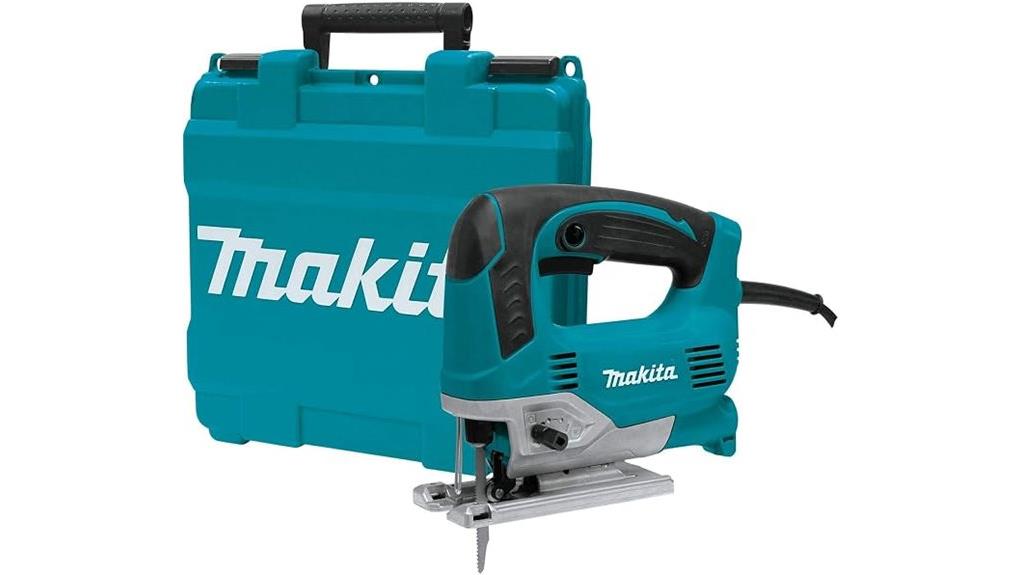

You get top-handle precision with the Makita JV0600K thanks to 650W power, 500–3,100 SPM variable speed, and three orbital settings you can tune for clean kerfs or faster removal. You can stabilize feed for straight lines and tight curves, then dial 0–45° bevels with an angle-lock that boosts repeatability. A through-body dust port and counterbalance reduce mess and jitter, while tool-less blade swaps keep you cutting—so there’s more to learn.
Some Key Takeaways
- The 650W motor offers 500–3,100 SPM variable speed for precise top-handle control across plywood, laminates, and curves.
- Three orbital settings let you tune aggression for faster removal or minimal orbit for cleaner, tighter-edge finishes.
- A 0°–45° bevel-adjusting die-cast aluminum base with angle lock supports repeatable bevel accuracy and stable blade alignment.
- Through-the-body dust port improves visibility and kerf cleanliness while reducing debris buildup for more controlled cuts.
- Counterbalance design plus a balanced 5.2 lb feel helps reduce vibration and fatigue for steadier, precision-oriented handling.
Makita JV0600K Specs for Top-Handle Jigsaw Cutting
For precision top-handle cutting, the Makita JV0600K delivers a 6.5 AMP, 650W electric drive with a variable-speed control range of 500–3,100 SPM and three orbital settings, so you can match cutting aggressiveness to the material. You also benefit from user-friendly variable speed dialing, letting you stabilize feed for straight cuts and tight curves. Compared with many entry models, the die-cast aluminum base offers 0°–45° bevel adjustment, plus a counterbalance system for smoother control. For cleaner workflows, you get strong dust port efficiency with a through-the-body vacuum connection. You’ll feel confident holding 5.2 lbs.
Dial In Speed and Orbital Settings for Clean Lines
Dial in the Makita JV0600K’s variable speed and orbital action, and you’ll lock in cleaner, more controlled cuts across materials—starting with its 500–3,100 SPM range and 3 orbital settings for matching blade aggressiveness to your feed rate. Use speed dial tuning to dial slow for dense laminates, then ramp faster for plywood and general framing. Set orbital selection control to minimal for tighter edge finish, then increase for rapid material removal. You’ll feel the difference versus fixed-speed models: steadier kerfs, less chatter, and blades that track true. It’s a practical pick for anyone building out a sliding miter saw gift list for the shop.
Adjust Base Angles 0–45° for Straight and Bevel Cuts
Once you set the Makita JV0600K’s die-cast aluminum base to your target bevel, you’ll get more consistent kerfs—because the base pivots from 0° to 45° left or right while maintaining stable blade-to-work alignment. Dial in straight cuts at 0° for crisp edges, then tilt for bevels up to 45° without switching tools. Compared with flatter-foot designs, this pivoted base boosts bevel alignment and angular accuracy, so your layout lines stay aligned through the cut. You’ll feel confident tightening the angle lock, keeping repeatability for teams that demand uniform results. It also makes a practical gift for combination square fans who appreciate precise layout and reliable angle control.
Test Dust Control, Vibration, and Comfort in Real Use
To validate the Makita JV0600K in real cutting conditions, test its through-the-body dust port first by running a straight line cut and checking whether the blower-vac combo keeps the scribe mark visible without pushing grit back into the kerf. You’ll notice strong Vacuum extraction and real world clearing that beats catch-up cleanup on lesser top handles. Next, set orbital mode mid-range and hold the 2-finger trigger for minutes; the counterbalance system smooths vibration comfort versus typical jittery jigsaws. You’ll feel lower operator fatigue, thanks to the balanced 5.2 lb feel and rubberized grip under steady pressure.
Choose the Right Tang-Shank Blade and Swap Fast
When you pick a blade for the Makita JV0600K, you’ll want to match tang-shank compatibility first, then tune tooth count and geometry to your material. Choose fine-pitch teeth for clean, thin stock; jump to coarser TPI for faster rip-through in plywood or framing. Compare plastics versus metal: use the right blade profile to prevent chatter and keep your line crisp. With tool less swapping, you’ll switch blades in seconds, staying in rhythm between crosscuts and bevel work. Feel the control—your accuracy improves because the blade locks solid and cuts true.
Some Questions Answered
Is the JV0600K Compatible With Standard Tang-Shank Jigsaw Blades?
Yes—the JV0600K supports standard tang-shank jigsaw blades. Its Blade shank compatibility matches universal fit types used across most tang-style blades, so you’ll get a secure, tool-less change with the correct tang profile. For best performance, choose 17 cm tang shank blades and select the tooth count and material (wood, metal, or specialty) you need. If a blade won’t seat fully, don’t force it.
What’s the Best Speed Setting for Cutting Metal With This Model?
For metal cutting with the JV0600K, start around 1,500–2,000 SPM (about “Metal cutting RPM tips”) and adjust upward only if the cut stays clean and the blade doesn’t chatter. Use the variable speed dial dial precisely rather than forcing. Match Blade material compatibility by choosing sharp bi-metal or carbide blades for steel, and lower speed for aluminum. Orbit off (straight mode) helps you stay controlled.
How Loud Is the JV0600K During Heavy-Duty Cuts?
You can expect the JV0600K to run noticeably loud during heavy-duty cuts, typically in the “high-workshop” range for a 6.5-amp jigsaw. The exact level depends on material, blade choice, and how tight you clamp the workpiece. For real numbers, use Noise measurement methods like placing a decibel meter 1 meter from the tool at ear height, then compare heavy duty cut comparisons across settings and blades.
Does the Tool’s Dust Blower Work Well When Cutting Plywood?
Yes, the dust blower helps on plywood, especially for line-of-cut visibility. You’ll clear chips and fine dust better than many top-handle competitors, so you can maintain Blade compatibility with tang-shank jigsaw blades and improve Cutting accuracy. For best results, match a sharp 9–10 TPI blade and keep speed moderate; otherwise, plywood dust can briefly overwhelm the airflow and dull the view.
Can I Use the Included 9TPI Blade for General-Purpose Wood Cutting?
Yes—you can use the included 9TPI blade for general blade use on wood, especially plywood, softwood, and rough crosscuts. With 9 teeth per inch, it cuts faster than fine-tooth options but leaves a slightly rougher edge than higher TPI blades. For smoother finishes or hardwood, you’ll get better results with a higher-TPI blade. You’ll stay within Blade compatibility by using tang shank blades.